
Practical use and limits
Use it for: Choose the algorithm, storage, and authorization layer separately, then test provisioning, recovery, rotation, revocation, and audit—not only login speed.
Limits: Support and compliance requirements vary. Algorithm guidance ages as clients, policies, and hardware change; confirm current compatibility before deployment.
The first correction: an SSH key has four layers#
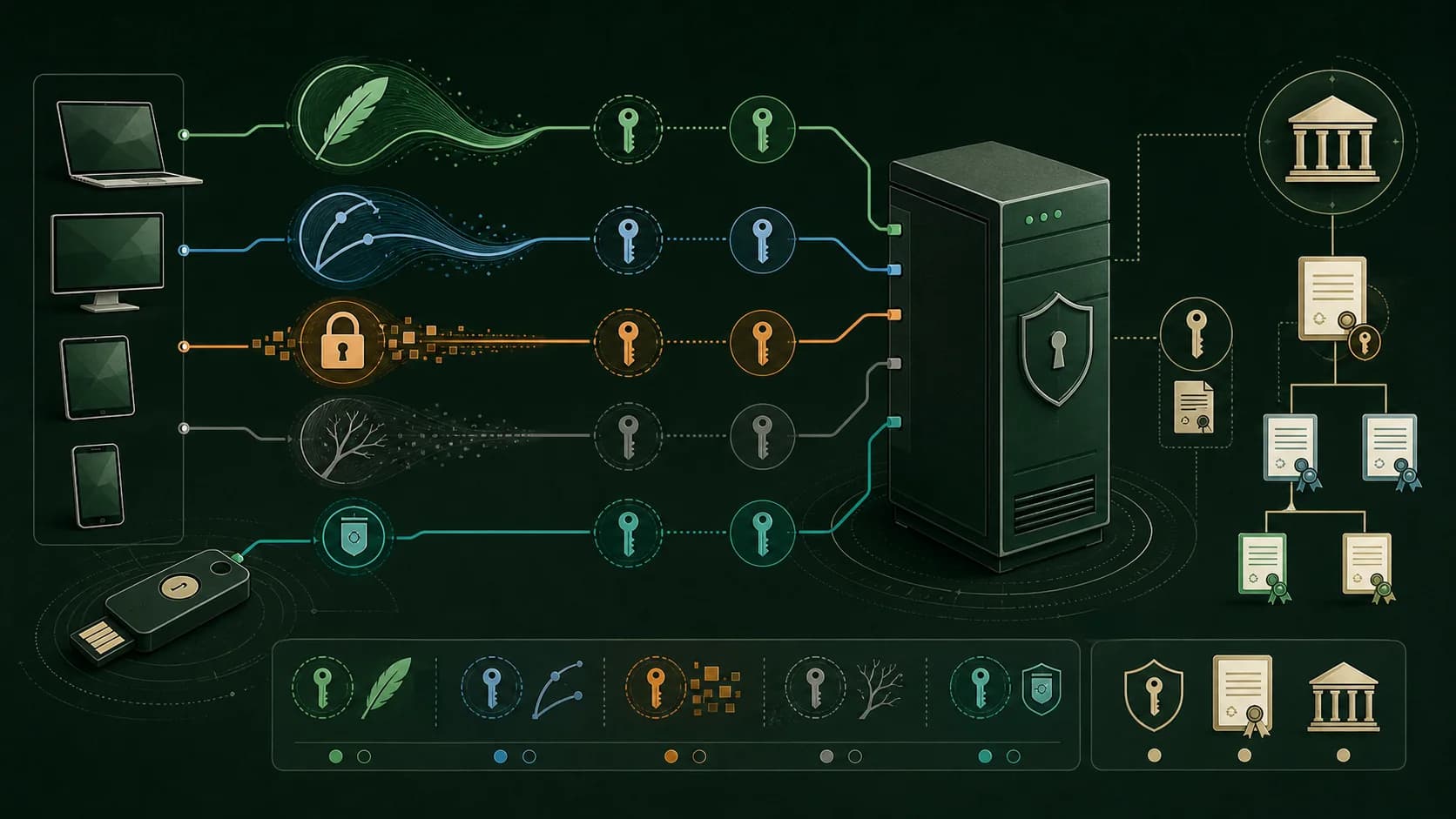
When people ask which SSH key is best, they often compare unlike things. The cryptographic algorithm may be Ed25519, ECDSA, RSA, or a legacy DSA key. The private-key container may be OpenSSH or PKCS8. The key may be stored as a normal file, protected by an agent, or held inside a FIDO2 hardware authenticator. Finally, a raw public key may be placed directly in authorized_keys or wrapped in an SSH certificate signed by a trusted CA. A good design chooses each layer separately.
At-a-glance comparison#
Ed25519: modern default, small keys and signatures, fast operations, simple provisioning, but it may be unavailable in old clients or restricted compliance profiles. ECDSA P-256/P-384: compact and often present in policy-oriented environments, but curve and implementation choices require more care and support is less uniform across old tooling. RSA: broadest legacy compatibility and easy integration with older appliances, but larger keys and slower operations make it heavier; RSA-SHA1 authentication is obsolete and should not be selected. DSA: historically common but limited to 1024-bit keys and disabled by modern OpenSSH; do not create new DSA keys. FIDO2-backed keys: private material stays in hardware and user presence or verification can be required, but device availability, touch policies, agent support, and automation constraints matter. SSH certificates: excellent for central issuance and short lifetimes, but require CA operations and a trusted verification policy.
Ed25519: the practical default for new deployments#
Ed25519 is a modern elliptic-curve signature scheme standardized for SSH by RFC 8709. In ordinary OpenSSH use it offers small public keys, small signatures, fast signing and verification, and a straightforward command-line workflow. It is a strong default for personal Linux servers, developer laptops, Git access, and most human interactive logins when the server and client support it. The limits are operational rather than a simple security failure: old network appliances may not understand it, some regulated environments constrain approved algorithms, and a copied private file is still a copied private file.
ECDSA: compact, policy-friendly, but not automatically better#
ECDSA with NIST P-256 or P-384 is still useful where existing policy, hardware modules, or interoperability require it. The key and signature are compact, and modern implementations handle nonce generation correctly. However, teams must keep the curve, library, and signature policy explicit; historical ECDSA failures have often come from bad randomness or weak implementations rather than from the abstract curve name alone. Choose ECDSA when it solves a real compatibility or policy requirement, not because the acronym looks newer than RSA.
RSA: the compatibility workhorse#
RSA has the widest installed base across older SSH servers, appliances, firmware, and enterprise tooling. It is a reasonable choice when a required integration cannot accept Ed25519 or ECDSA, and it remains useful for migration bridges. Prefer at least 3072-bit keys for new long-lived identities when performance and policy allow, and ensure the client uses rsa-sha2-256 or rsa-sha2-512. The historical ssh-rsa signature scheme uses SHA-1 and is disabled or discouraged by modern OpenSSH; an RSA key can still be used with a modern RSA signature algorithm, so do not confuse the key type with the obsolete signature method.
DSA: a compatibility artifact, not a current option#
SSH DSA keys are constrained to 1024 bits and modern OpenSSH disables ssh-dss by default. There is no good reason to generate a new DSA key. If an old appliance only accepts DSA, treat it as a migration or isolation project: restrict network reachability, document the exception, upgrade the appliance, and replace the key as soon as the dependency is removed. Turning a disabled legacy algorithm back on globally creates a larger risk surface than a narrowly scoped temporary exception.
FIDO2 and hardware-backed SSH keys#
FIDO2-backed SSH key types such as the OpenSSH sk- variants move the sensitive private operation into a security key or platform authenticator. A stolen public key is harmless without the authenticator, and user presence or verification can make unattended phishing and file exfiltration harder. The trade-offs are real: you need a compatible token, a backup token or recovery plan, correct resident-key and touch settings, and a strategy for CI or other non-interactive jobs. Use hardware-backed credentials for high-value human access; use narrowly scoped, revocable automation credentials for machines rather than forcing a physical touch into every deployment.
SSH certificates: a lifecycle upgrade#
An SSH certificate is not another key algorithm. A user or host key is signed by a trusted SSH CA, and sshd is configured to trust that CA. The certificate can carry principals, validity windows, critical options, and extensions, allowing central issuance and short lifetimes without copying every user's raw public key to every server. Certificates are powerful for fleets and ephemeral access, but they add CA key protection, issuance workflows, clock synchronization, audit, and emergency revocation design. For one personal server, authorized_keys is simpler; for many hosts and users, certificates can reduce configuration drift.
Do not confuse private-key format with algorithm#
OpenSSH and PKCS8 describe serialization, not cryptographic strength. A key file beginning with BEGIN OPENSSH PRIVATE KEY is not automatically Ed25519, and a PEM file beginning with BEGIN PRIVATE KEY is not automatically RSA. Inspect the key type and derive the public key when verifying a conversion. Client support also varies: a mobile application may require PKCS8 while the system ssh client prefers OpenSSH format. Format conversion should preserve the public identity, but it creates another sensitive copy that must be protected or deleted.
Application scenarios and recommended choices#
Personal Linux server: Ed25519 in a protected OpenSSH file, a passphrase, agent forwarding avoided by default, and a second recovery path. Developer laptop and Git: Ed25519 for human use; consider a FIDO2-backed key for valuable organizations or accounts. Legacy appliance: RSA with a documented minimum size and modern rsa-sha2 signatures, isolated until upgraded. CI/CD: a short-lived or narrowly scoped machine identity, ideally issued by a broker or certificate authority; never copy a personal key into a pipeline. Large fleet: SSH CA certificates with short validity, centralized issuance, logging, and separate host and user trust roots. High-assurance admin access: hardware-backed FIDO2 plus a second authenticator and break-glass procedure.
A decision framework that survives change#
First define the subject: human, service, host, or temporary session. Then list constraints: client and server versions, compliance boundary, offline or automated use, recovery requirements, and expected lifetime. Select the smallest trust scope that meets the task, record the algorithm and format separately, and test the full login path. Measure not only cryptographic speed but also key issuance, backup, rotation, revocation, device loss, audit, and incident response. A theoretically strong key with no recovery or revocation process is a weak operational system.
Hardening checklist#
Use a passphrase on exportable private keys and restrictive file permissions. Keep host-key verification enabled and verify changed fingerprints out of band. Prefer per-device or per-person public keys over a shared private key. Disable password authentication where the recovery design permits it, but do not remove your last tested administrative path. Restrict authorized_keys with options such as from, command, and no-port-forwarding where appropriate. Record key owner, purpose, creation date, last use, and expiry or review date. Rotate after suspected exposure, device loss, personnel changes, or scope changes—not merely because a calendar page turned.
Final recommendation#
For most new interactive SSH logins, start with Ed25519. Choose RSA when legacy compatibility is a real requirement, ECDSA when a specific policy or platform calls for it, and FIDO2-backed keys when protecting high-value human credentials matters more than universal automation. Use SSH certificates when the number and lifetime of identities make raw authorized_keys hard to govern. Never let the algorithm choice substitute for host verification, least privilege, key inventory, recovery, and revocation. The best SSH design is the one your team can explain, audit, and safely replace.
Frequently asked questions
Which SSH key should I generate today?
For a new general-purpose OpenSSH login, Ed25519 is the usual starting point. Confirm that the client, server, and any compliance policy support it before provisioning.
Is RSA insecure now?
RSA is not automatically insecure. Use a sufficiently large key and modern rsa-sha2-256 or rsa-sha2-512 signatures. The obsolete ssh-rsa/SHA-1 signature method is the part that should be avoided.
Are FIDO2 keys suitable for CI/CD?
They are excellent for human high-value access, but physical presence or user verification often conflicts with unattended jobs. Use a separate, narrowly scoped, revocable machine identity or certificate for automation.
Do SSH certificates replace public-key algorithms?
No. A certificate wraps a user or host public key and adds CA-signed identity and policy. The underlying key algorithm still matters.